See the shot. See the swing that made it.
Runs alongside GSPro with broadcast-quality streaming and recording, every round tracked, and a film room that shows you why the ball did that.
Ball data tells you what happened. Film Room tells you why.
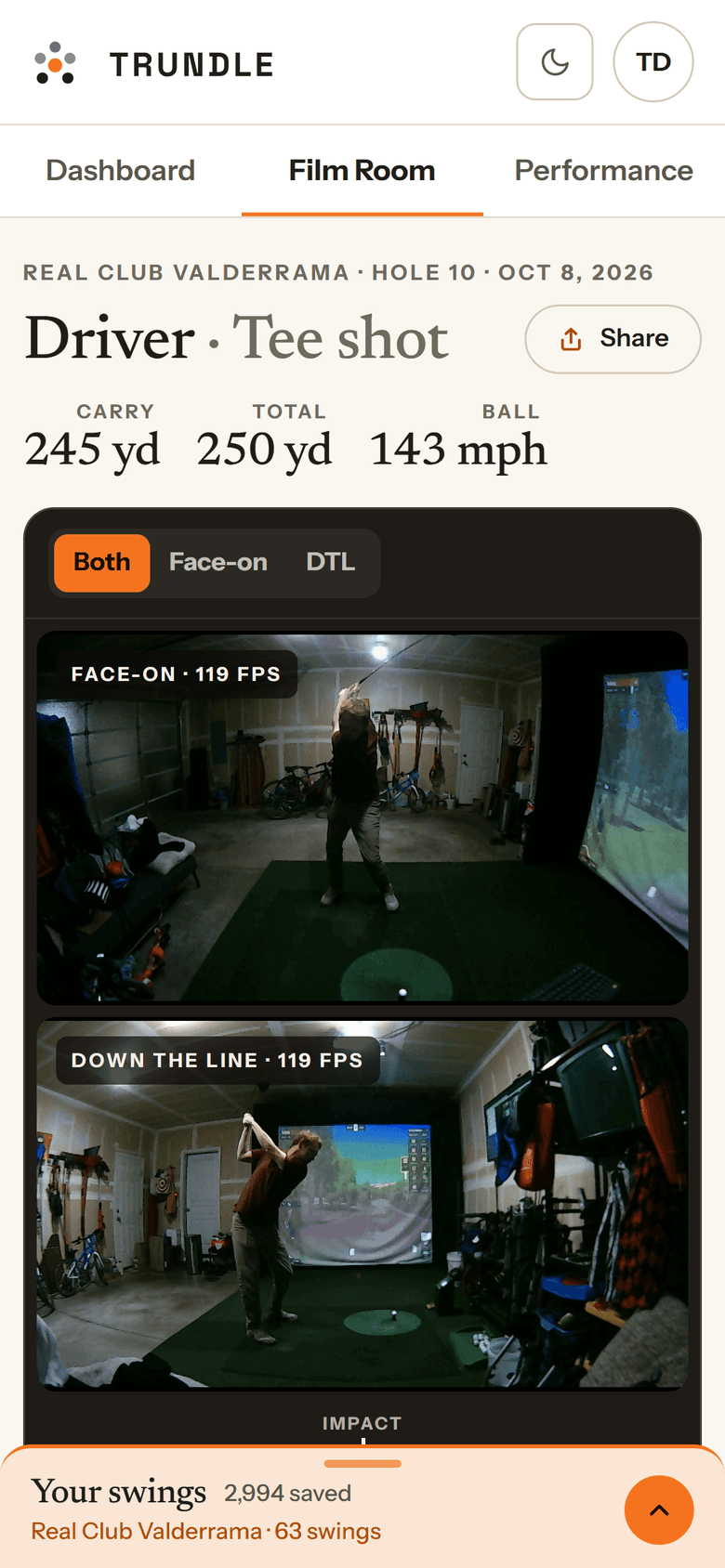
Every shot is saved with the swing that produced it — two angles, frame-synced, with your body tracked through the motion.Every shot you hit is saved with the swing that produced it. Two camera angles, frame-synced and slowed down, with your body tracked through the motion — so the number on the overlay and the move that caused it are finally the same story.
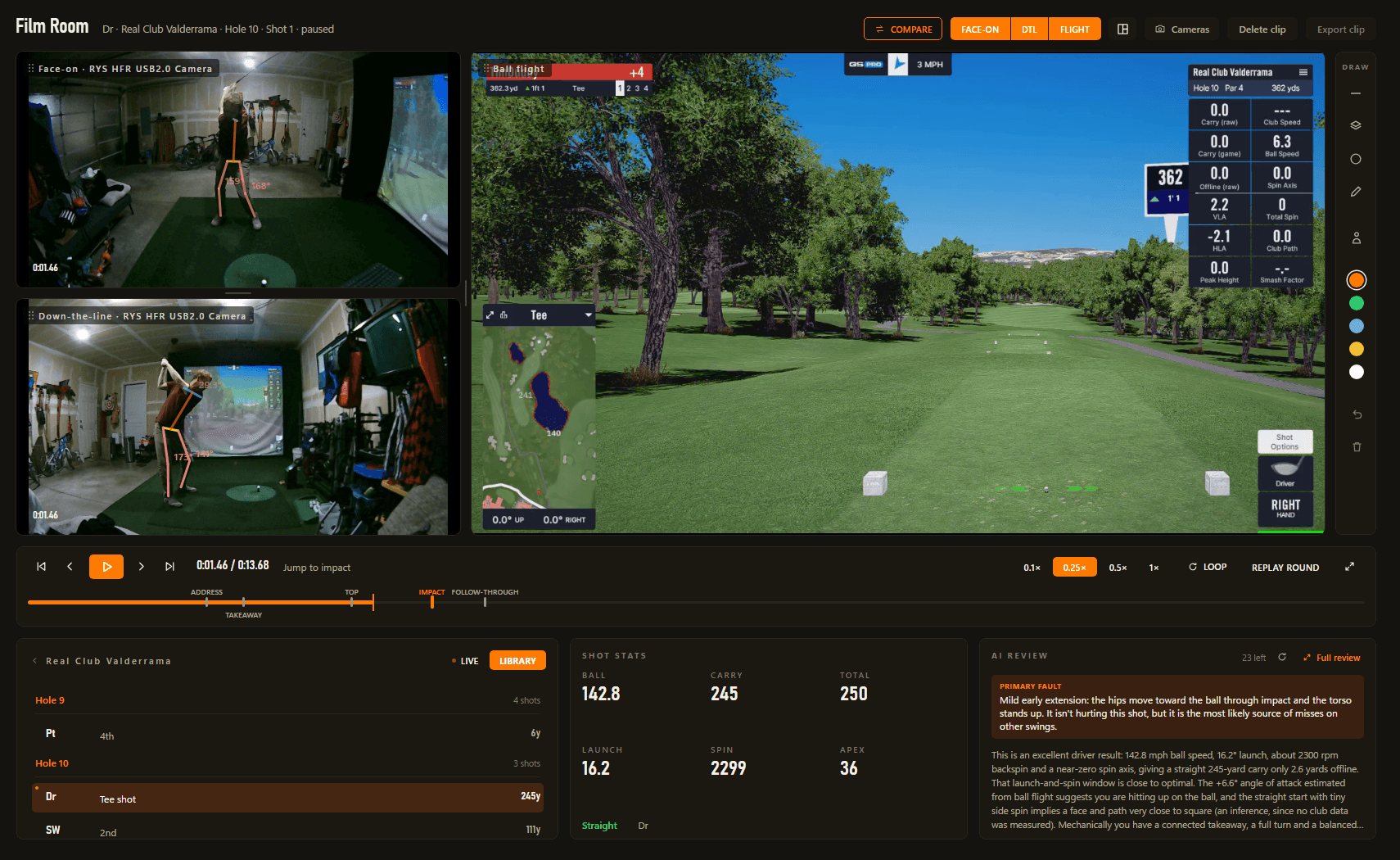
Measured, not eyeballed
Spine, shoulders, hips, head, lead arm and knee — with the angle in degrees.Spine, shoulders, hips, head, lead arm and knee — with the angle in degrees, on every saved swing.
A review that argues from your numbers
Key frames and the shot go out; a written breakdown comes back.Key frames from both angles go out with the shot they produced, and come back as a written breakdown.
Your swings on your phone
Open the Film Room on the web — both angles, synced, numbers alongside.
From your first shot to a lower handicap.
Not a stack of unrelated tools — a A single loop that carries every session from the tee to the takeaway.
Walk back through any round, hole by hole.
How you scored, where the shots finished, and how you struck it.How you scored, where the shots finished, and how you struck it — so you can see exactly where the round came together and where it got away.
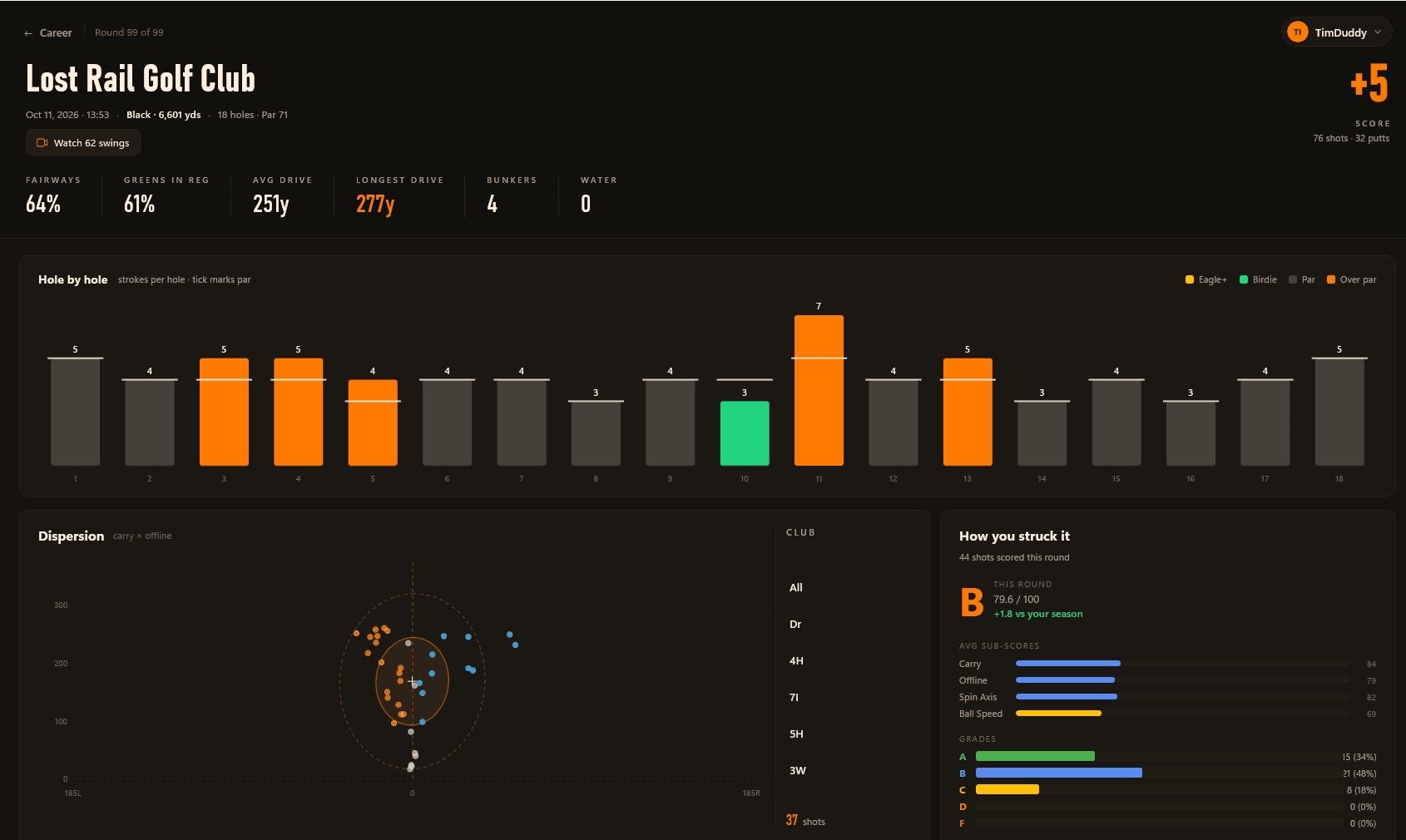
- Hole-by-hole scoring against par
- Dispersion map of where shots finished
- A ball-striking grade for the round
Know what to practice next.
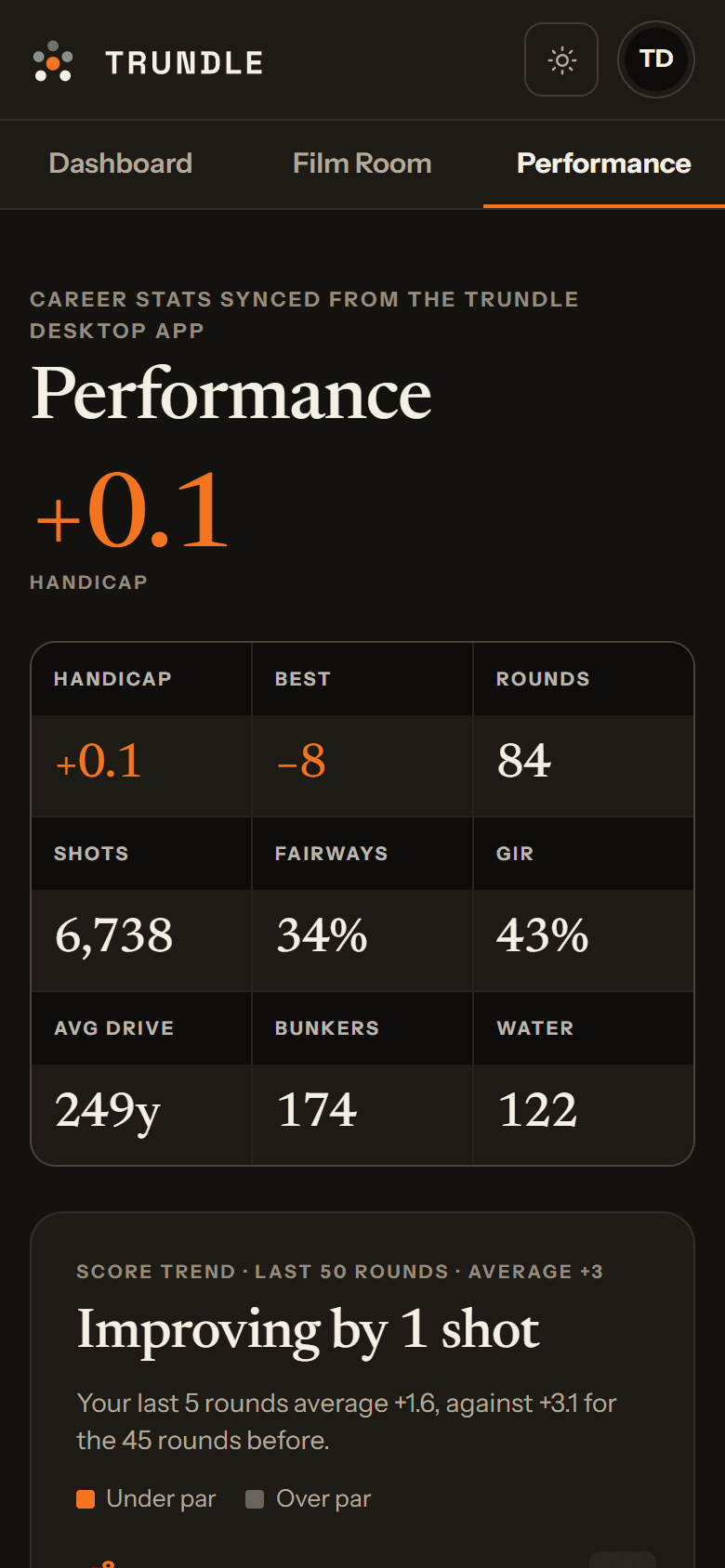
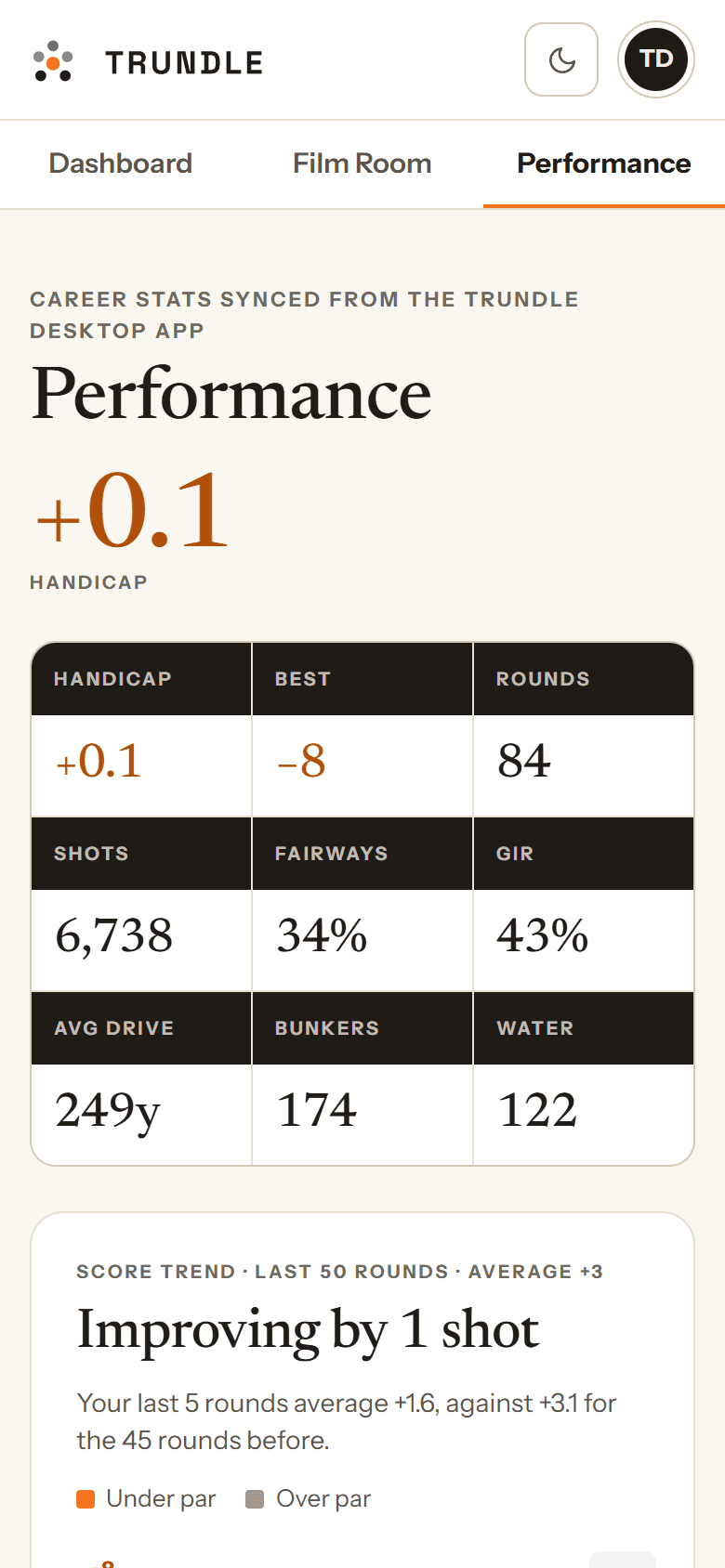
Your handicap, how your scoring is moving, and which part of your game is costing you shots.Step back from any single round and see the trend — your handicap, how your scoring is moving, and which part of your game is costing you shots.
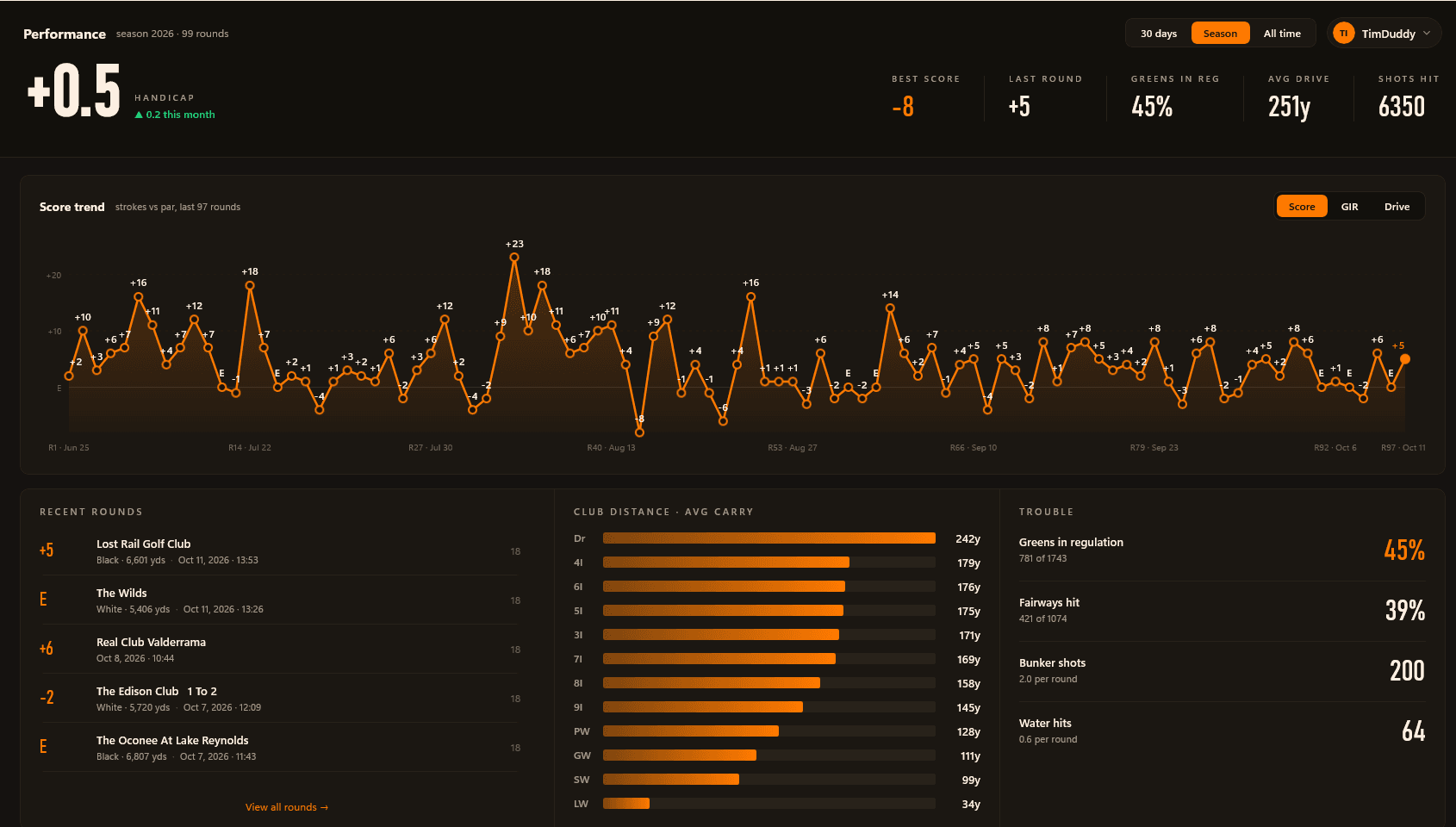
- Handicap and score trend
- Club distances at a glance
- Greens, fairways and trouble stats
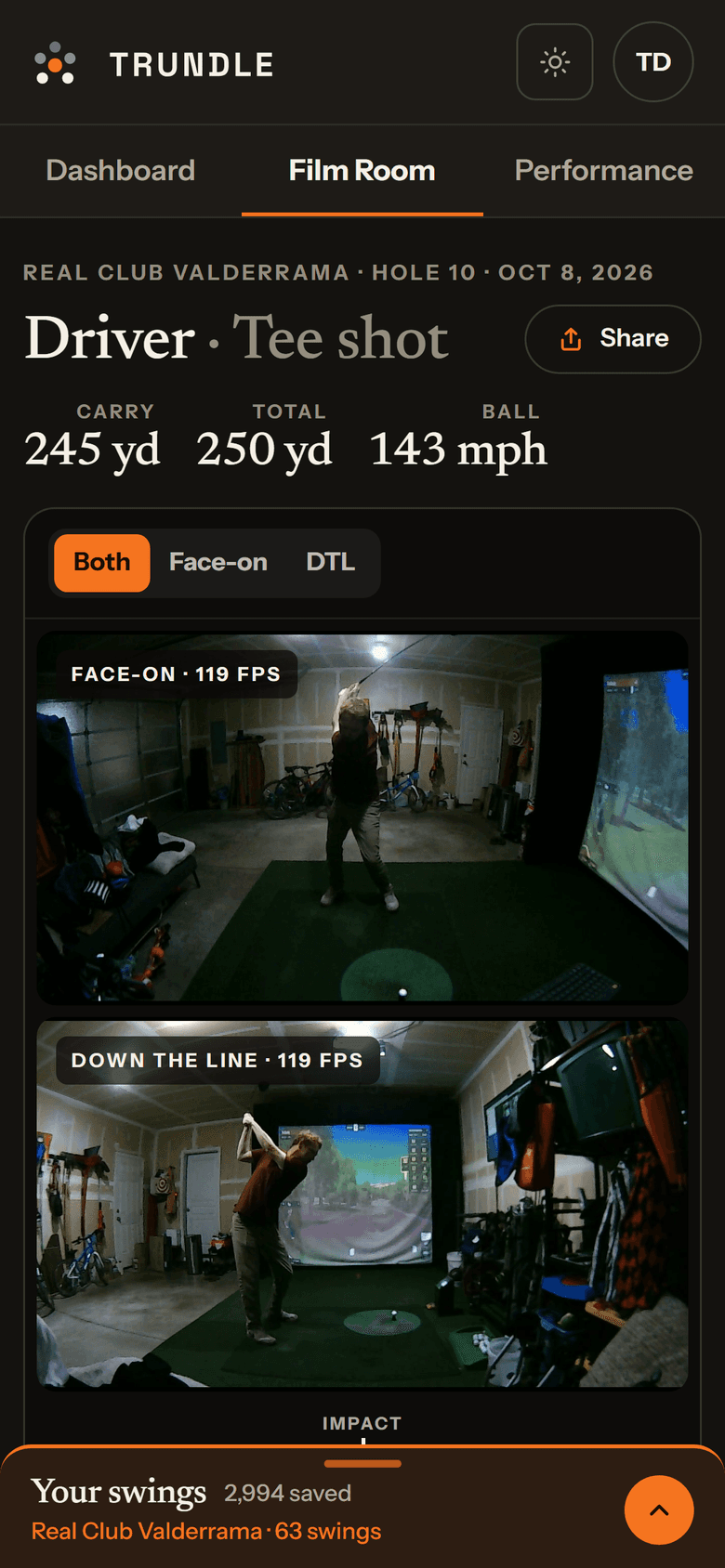
Every round and every swing, in your pocket.
Trundle records everything at the sim. Sign in on your phone, tablet or laptop and it’s all there to go back through — on the couch, at the range, or with your coach.
- Every round shot by shot, with a map of each hole
- Handicap, scoring trend and club distances
- Both swing angles, synced, with the AI review beside them
- Nothing to install — it's the website, signed in
Rounds sync with any account; swings on the web are part of Pro. The web shows what Trundle for Windows captures on your sim PC.
A broadcast booth, without the OBS homework.
GSPro, your cameras and the data overlay composited into one broadcast-quality output.GSPro, your cameras and the data overlay composited into one broadcast-quality output — streamed, recorded, or piped anywhere as a virtual camera.
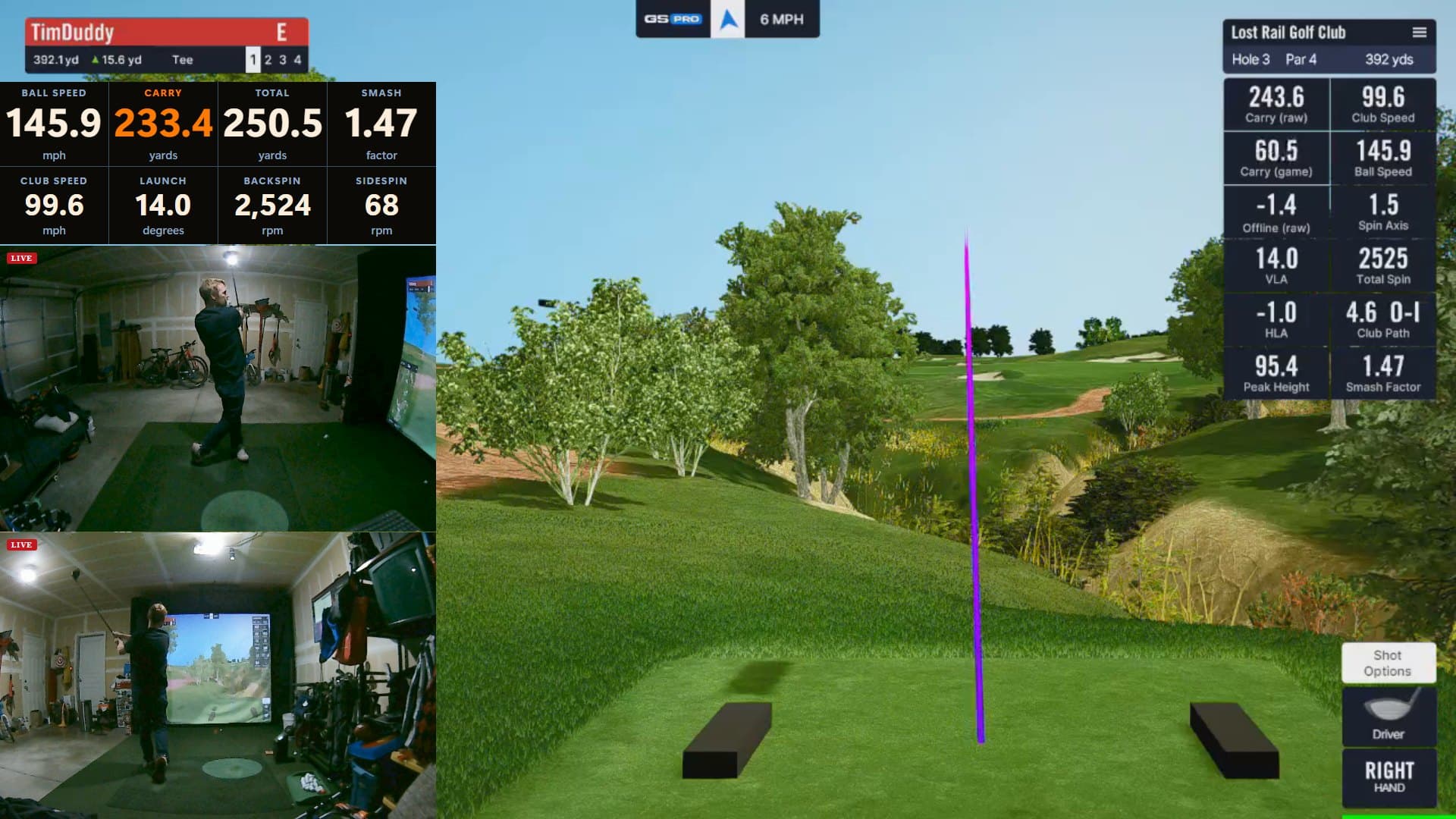
- Go live to YouTube or Twitch from the app
- Live chat as an on-stream widget
- Local recording and virtual camera output
Every number, the moment you hit it.
Real-time shot data pulled straight from GSPro, in a drag-and-drop widget dashboard. No camera required.Real-time shot data pulled straight from GSPro, laid out in a fully configurable, drag-and-drop widget dashboard. No camera required.
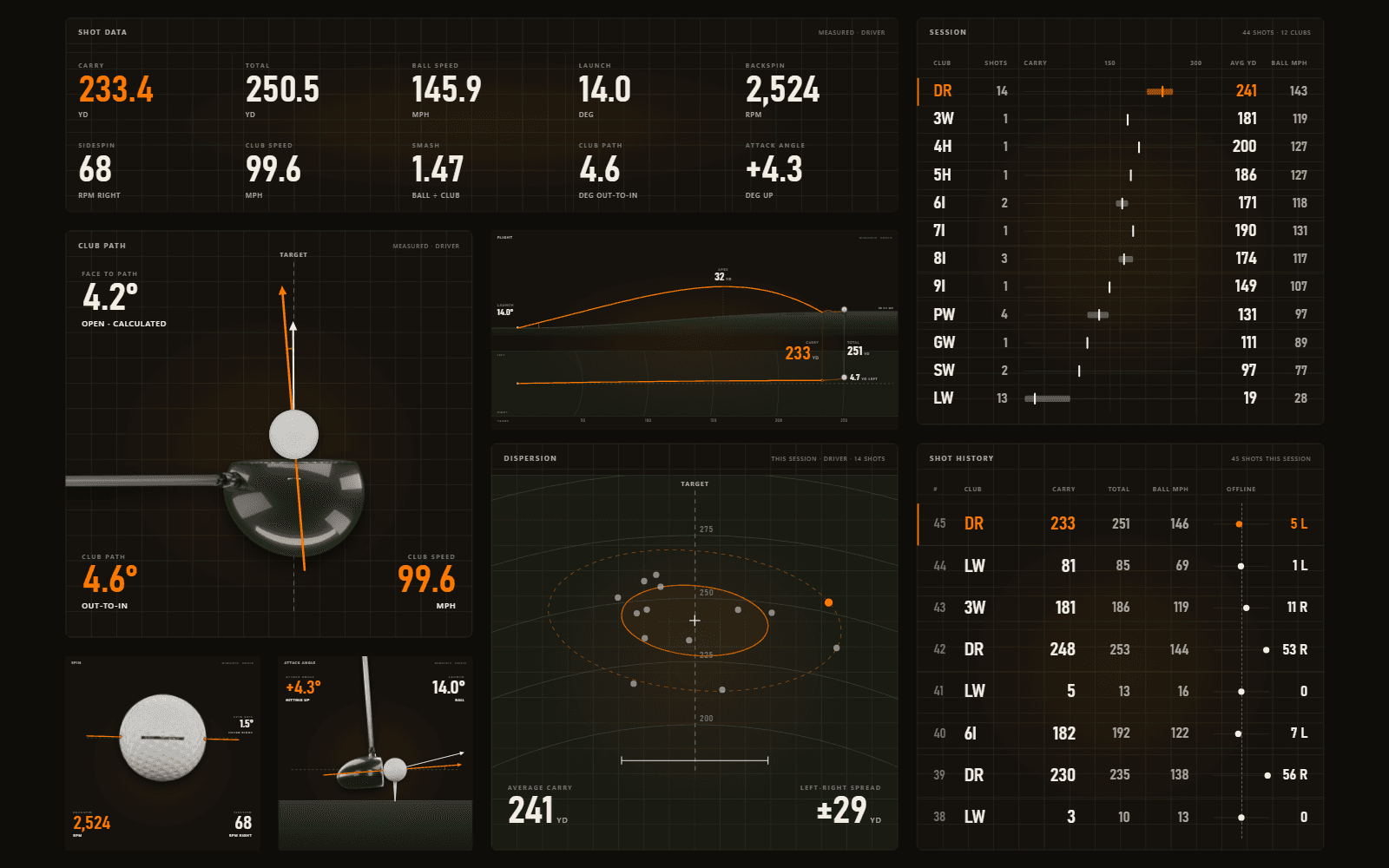
- Ball, club and launch data, live
- Rolling shot history for the session
- Session statistics and dispersion
Built for everyone in the bay.
What do you want from your sim sessions?
Pick everything that applies — we’ll point you to the right plan.
Simple, transparent pricing
Start free. Add streaming when you want to share it, and the full Film Room when you want to fix it.
Pro
Most popularPro
The full Film Room when you want to fix it.
You’ll sign in with Google first
- Everything in Creator
- Film Room — two-angle replay, telestration & body tracking
- AI swing analysis
- Extended history & long-term trends
- Your swings on your phone — your most recent swings, synced
Questions before you download?
Cameras, launch monitors and what Trundle needs from your sim.
Do I need GSPro, and which launch monitors work?
Does it change anything about my GSPro setup?
Do I still need OBS?
Do I need a camera, and how many?
What kind of camera do I need?
Where does my footage go? Is anything uploaded?
What are the system requirements?
Is there a Mac version, or can I use just the website?
Is there a free version?
Can I cancel, and what if it isn't for me?
Your next session, on film.
Free to start · Windows 10/11 64-bit · Runs alongside GSPro